 Ppijuk
Desktop sticky notes that stick to the edge of your screen
If you want desktop sticky notes that behave like Post-it notes stuck to the side of your monitor, try Ppijuk. It is a free app for Windows 10 and 11 that docks colorful notes to the right edge of your screen, where they stay in view without covering your work.
Like a paper note on your monitor
A paper Post-it stuck to the side of a monitor is always in sight and never covers the screen. Ppijuk works the same way: notes dock only to the right edge of the screen and stack from the top down, so they never land in the middle of the window you are working in.
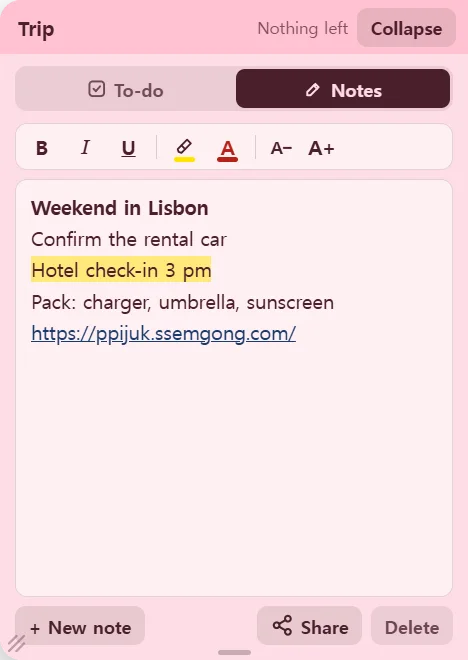
Every note gets its own name and color. There are seven colors, and you can rename a note by clicking its name. Split things into notes such as Work, Groceries and This week, and the tabs alone tell you where everything is.
Paper notes pile up and cover more of the monitor frame. Ppijuk notes you are not using fold back into a thin strip at the edge, so even with several notes on screen you keep almost all of your desktop.
What paper notes cannot do
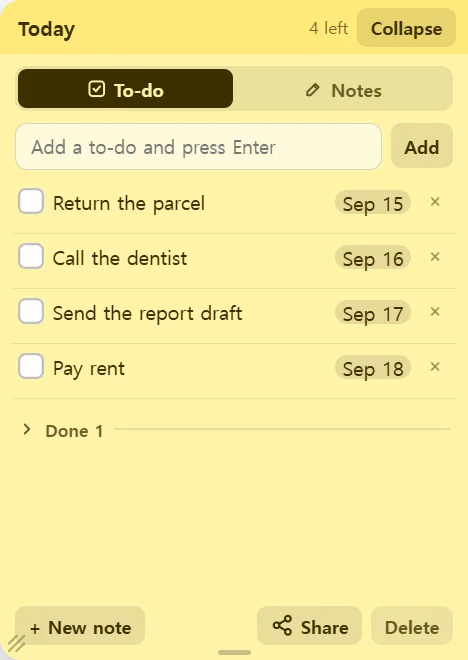
A paper note fills up; a Ppijuk checklist just grows. When you tick off a task it drops into a folded Done section at the bottom, and you can open that section and click Undo if you ticked the wrong one.
Every new to-do gets today’s date as a small badge. Click the badge and pick a due date, and the to-do moves to that day on the desktop calendar.
A paper note you throw away is gone. A Ppijuk note you delete stays in Trash for 30 days, so you can bring it back.
Put your first notes on the desktop
- Download the installer and run it.
- Click the tab at the right edge to open the first note, then type a to-do and press Enter for each line.
- Right-click the note to choose a color, and click the name to rename it.
- Need another one? Click “+ New note”. You can have up to 12 notes on screen, or fewer on a small screen.
Frequently asked questions
Will the sticky notes cover my other windows?
Only while you are using one. An open note appears at the right edge of the screen, and when you are finished it folds back into a thin strip, so the middle of the screen stays clear.
Can I put a sticky note anywhere on the desktop?
No. There is no free placement: every note stays on the right edge, and dragging a note only changes its order. That is deliberate, so notes never end up scattered.
How many sticky notes can I have on screen?
Up to 12 notes. On a smaller screen the limit is lower so that the notes still fit along the edge.
Can the notes appear automatically when I turn on my PC?
Yes. Right-click the Ppijuk tray icon and turn on “Start with Windows”. Your notes will be at the edge of the screen every time Windows starts.
Get Ppijuk free
The Windows 10/11 installer, the Android app and the web version are all free.